By Farvenzo Times · Published 29 October 2026
Technology / Practical guide
Buying a Used Phone? Check the Update Deadline Before the Price
A phone’s update promise usually starts at its original release, not the day you buy it used. Check the exact model’s remaining security support, battery condition and total cost before judging the deal.

Archival licensed photograph of smartphone repair. Illustrative ownership context; not evidence of a particular model’s update status or an endorsed repair service.
Photo: Clint Bustrillos · Man repairing an Android smartphone / source · Unsplash License.
Cropped to landscape, resized and encoded as WebP and JPEG. No content edits.
Seven years of updates does not mean seven years from your purchase
Google currently says Pixel 8 and later phones receive seven years of operating-system and security updates from their first availability on the US Google Store. Its listed Pixel 6, Pixel 7 and original Pixel Fold models receive five years from that starting point. The support clock therefore keeps running while a handset sits in storage or changes owners. Check Google’s current model-specific page before buying.
This matters most when a listing repeats the original launch promise without giving the remaining period. A used phone may be excellent hardware while offering less supported life than the slogan suggests. The purchase date, warranty period and security-support deadline answer different questions.
Read the exact model, not just the brand
Samsung’s security scope page lists supported devices by update schedule and describes support of up to seven years for eligible Galaxy devices. That does not give every Samsung handset the same deadline or monthly cadence. Match the exact model to the manufacturer’s current list and check any regional or carrier information that applies.
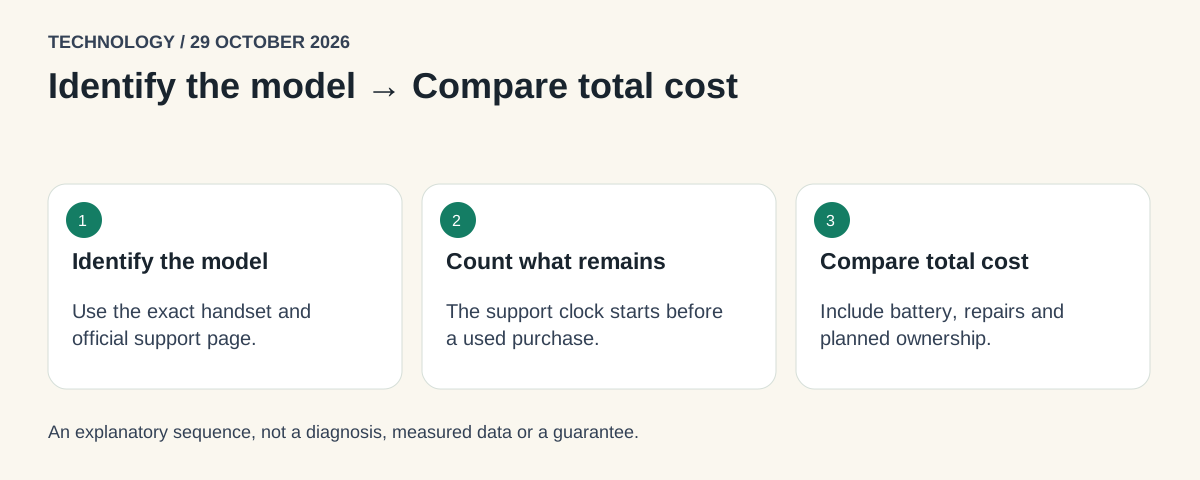
- 01 / Identify the modelUse the exact handset and official support page.
- 02 / Count what remainsThe support clock starts before a used purchase.
- 03 / Compare total costInclude battery, repairs and planned ownership.
Conceptual sequence, not measured data. View the static graphic.
Treat the seller’s model name as the beginning of the check. Ask for the precise model identifier and the current security-patch date shown in Settings, with personal account details concealed. Compare that information with the official support commitment. A recent-looking patch is useful evidence about the installed software; it does not extend the manufacturer’s promised support period.
Separate operating-system, security and app updates
An operating-system upgrade changes the platform version. A security update addresses vulnerabilities in supported software. An app update changes an individual application. The fact that an app still installs is not proof that every part of the phone remains supported. Conversely, a delayed rollout is not automatically evidence that support has ended: Google notes that updates can arrive gradually and depend on carrier and device.
For a buyer, the practical question is whether the official support period covers the intended years of use. Do not use a vague promise that the phone will keep working as a substitute. Hardware can continue to switch on after security support ends; that does not establish an equivalent security position.
A simple cost-per-supported-year example
Imagine two fictional offers: Phone A costs 240 currency units and has two supported years remaining; Phone B costs 360 and has four. Ignoring resale and repairs, that is 120 versus 90 per supported year. The cheaper ticket price is not the lower annual cost under these assumptions.
Now suppose Phone B needs an 80-unit battery replacement before the planned ownership period ends. Its illustrative total becomes 440, or 110 per supported year. It may still compare well, but the advantage narrows. These are invented offers, not actual prices or recommendations for any model. Use the calculation to expose assumptions, not to award a universal winner.
The support window is one part of the purchase
Add the cost of a credible repair, charger or other necessary equipment. Read the return conditions and warranty coverage, especially how battery wear is treated. Before money changes hands, confirm that the device can be lawfully transferred, is not left locked to someone else’s account, and works with the intended network. Seek the seller’s documented checks rather than attempting to bypass an account lock.
A refurbished label describes a sales category, not one universal inspection standard. Ask what was inspected, what was replaced, and what the seller will remedy if the description is wrong. A clear return route can be worth more than a cosmetic grade that says little about the remaining software lifetime.
A five-minute buying record
Save the listing, exact model, official support-page link, expected end of support, battery/repair information and return terms in one note. Write down how long you plan to use it. If the support period ends before that date, price in an earlier replacement or choose a different offer. That turns an attractive discount into a decision you can explain—and revisit if the seller’s claims change.
Sources
Keep exploring
- Passkeys Are Safer. What Happens If You Lose Your Phone? →
Understand synced and device-bound passkeys, plan account recovery and check your backup before replacing a phone.
- AI Voice Cloning Scams: How to Verify an Emergency Call →
Learn how AI voice scams exploit trust and urgency, why familiar audio is not proof, and how a callback routine can protect your family and business.